




Introduction
The Project Management Office (PMO) at UnB faced a recurring challenge: each semester, the arrival of new cohorts and the turnover of participants disrupted access to the history of decisions, documents, and requirements that had been built over time. To address this, we developed an intelligent platform that combines AI, semantic search, and structured documentation, ensuring:
- Continuous preservation of academic and requirements history;
- Fast onboarding of new members, with full context available in seconds;
- Automatic, hierarchical indexing of artifacts (PDF, Excel, Markdown);
- Reduced rework and delays caused by semesterly turnover.
This wiki presents the scope, architecture, and main modules of the solution, aligned with the goals of maintaining knowledge continuity and increasing PMO efficiency.
Access ProjectContext and Objective
Information Flow Complexity
The diagram below illustrates the dense network of data exchanges managed by the PMO, showing how multiple actors, formats, and boundaries intertwine:

- Multiple stakeholders: waste pickers, cooperatives, UnB’s academic team, and partners in the Netherlands, Denmark, and Portugal.
- Bidirectional flow: requirements are sent and feedback and artifacts are received every semester.
- Global integration: consolidation and distribution of documents (PDF, Excel, Markdown) across national and international institutions.
- High turnover: semesterly participant renewal requires constant re-indexing and re-contextualization of content.
- Parallel processing: extraction, cleaning, indexing, and presentation of large volumes of information simultaneously.
Objectives
The cyclical pattern of new cohorts and semesterly turnover represents a critical challenge: with each new member, we lose part of the history of decisions, requirements, and accumulated artifacts. This leads to rework, delays, and makes continuity harder to sustain.

- Preserve academic history: Centralize and organize all versions of requirements, documents, and previous deliverables.
- Efficient onboarding: Enable new participants to access the full project context in seconds, without relying exclusively on senior members.
- Knowledge continuity: Ensure that decisions and lessons learned from past semesters are easy to retrieve and reuse.
- Smart automation: Use AI to automatically index, classify, and hierarchically organize documents in multiple formats (PDF, Excel, Markdown).
- Reduced rework: Minimize duplicated effort when searching for and interpreting artifacts from previous semesters.
System Overview
- Scope: Build a platform that preserves the full academic and requirements history in a functionally adequate way and facilitates quality audits based on ISO/IEC 25010 (SQuaRE).
-
Solution:
- In progress. Tutorials: Step-by-step guides tailored to fixed team roles (developer, designer, PSP2), ensuring standardized training and process alignment.
-
Alpha Access.
Wiki:
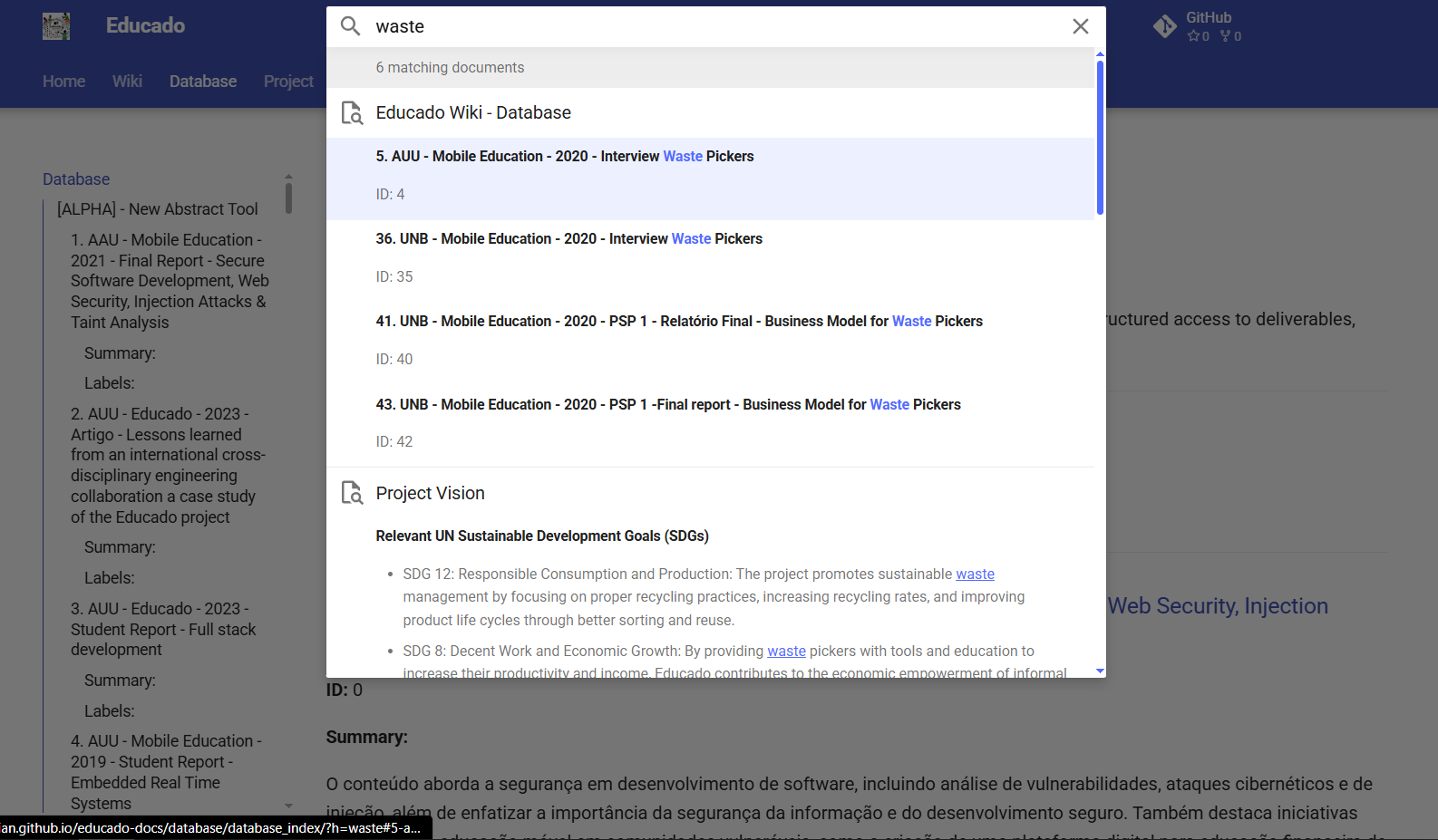
AI-powered tool for semantic search across classified files (PDF, Excel, Markdown), enabling fast and contextual information retrieval.
Access Project
- Coming soon. Real-time data collection: Continuous monitoring of interactions and artifacts, feeding indexes and models with always up-to-date information.
- Coming soon. Time-based dashboards: Interactive visualizations showing the historical evolution of project metrics and activities over time.
-
Benefits:
- Improved usability for new participants (Usability).
- Higher maintainability of artifacts (Maintainability).
- Data portability across academic and international environments (Portability).
- Reduced rework and delays caused by semesterly turnover.

Search Capability
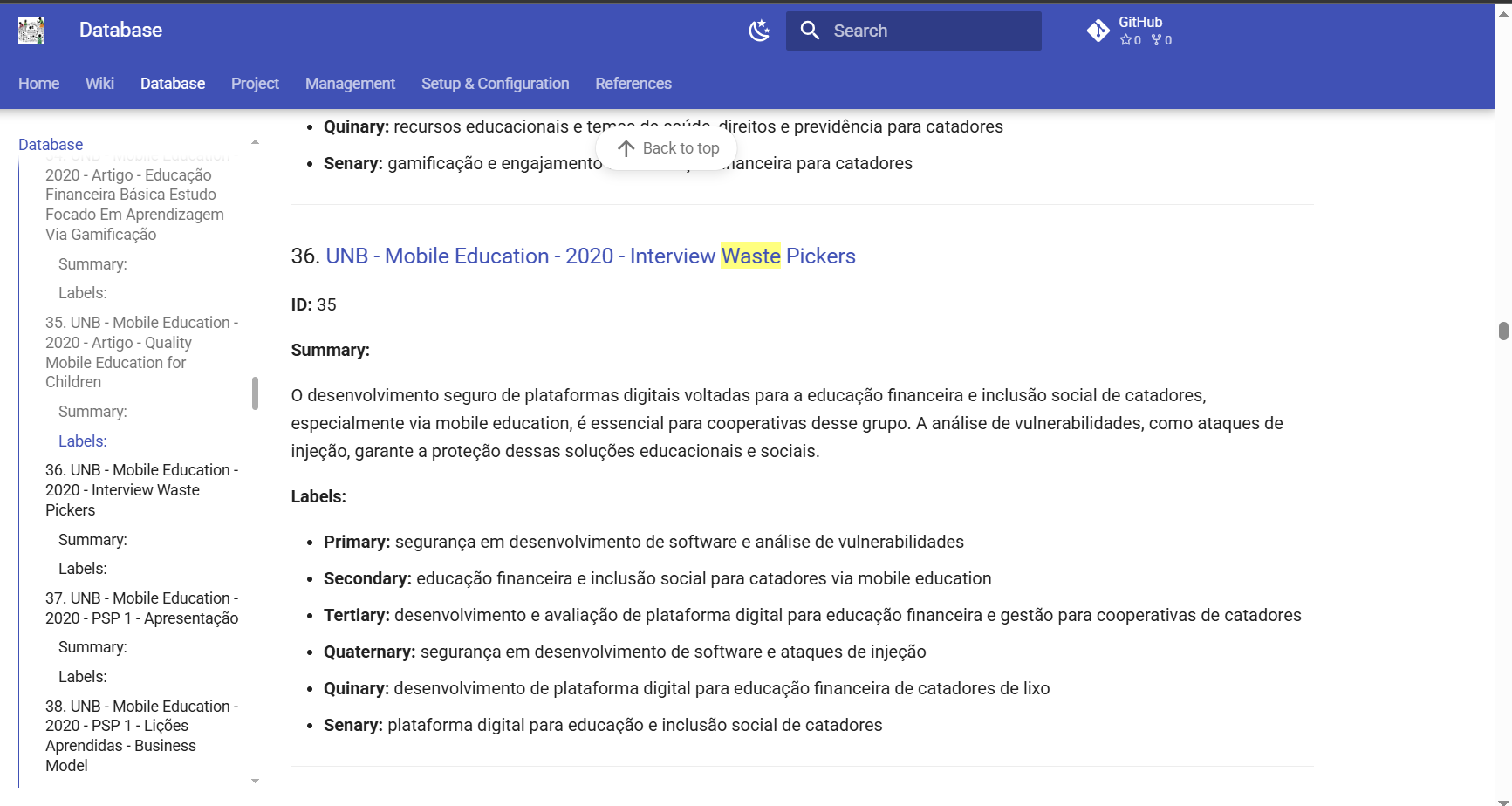
- Smart indexes: Building inverted indexes combined with embeddings for semantic queries.
- Automatic refinement: Dynamic adjustment of stopwords and contextual filters for more accurate results.
- Multi-format integration: Unified search across PDF documents, Excel spreadsheets, and Markdown files.
Why Documentation Matters
To ensure project sustainability, we adopted clear metadata standards (titles, dates, authors, labels), along with automatic summaries generated by the tool itself. This:
- Facilitates collaboration between academic and technical members;
- Reduces errors and rework when searching for older requirements;
- Enables auditing and traceability of changes over time.
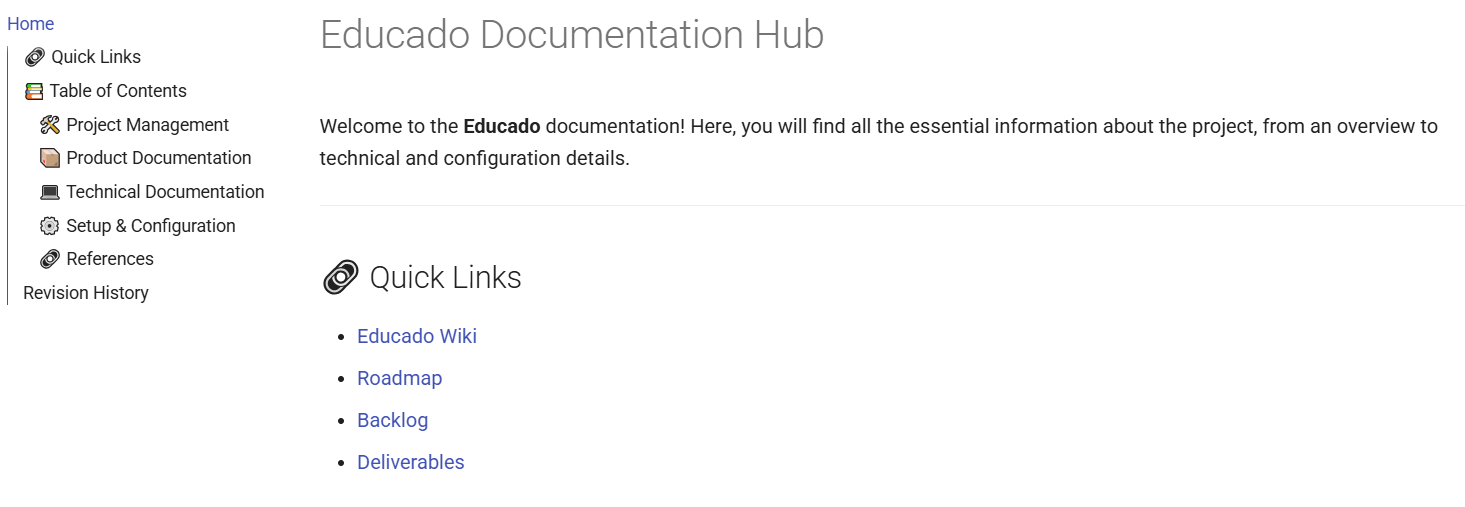
Case Study: Educado Docs (MkDocs)
As a practical example, the official Educado documentation clearly illustrates the concepts presented here:
Access ProjectReferences
- Official Educado Documentation (MkDocs)
- Leffingwell, D.; Widrig, D., Managing Software Requirements: A Use Case Approach, 2nd Edition, Addison-Wesley, 2003.
- Cockburn, A., Writing Effective Use Cases: A Practical Guide, 1st Edition, Addison-Wesley, 2000.
- Ambler, S., Agile Modeling: Effective Practices for Extreme Programming and the Unified Process, Wiley, 2002.
- IREB e.V., CPRE Foundation Level Syllabus, Version 1.1.0, September 2022.
- Sommerville, I., Software Engineering, 9th Edition, Pearson Prentice Hall, 2011.
- Beck, K.; Andres, C., Extreme Programming Explained: Embrace Change, 2nd Edition, Addison-Wesley Professional, 2004.
- Preece, J.; Rogers, Y.; Sharp, H., Interaction Design: Beyond Human-Computer Interaction, 4th Edition, Wiley, 2015.
- Nielsen, J., Usability Engineering, Morgan Kaufmann, 1994.
- ISO/IEC 25010, Systems and software engineering — SQuaRE — System and software quality models, 2011.
- ISO/IEC 25051, Software engineering — Systems and software Quality Requirements and Evaluation (SQuaRE) — Requirements for quality of Ready to Use Software Product (RUSP) and instructions for testing, 2014